
Time picker
The Time Picker control allows the user to select a time using a dialog window. The selected time information is passed to the controller.
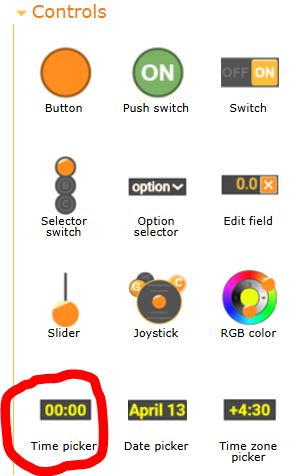
The Time Picker element is located on the Controls tab of the left panel in the editor. Click on the element's image and drag it onto the editor screen.
Data
An element can transmit data to the controller in two different ways, depending on the Data option setting.
Separately
| Data | Type | Value | Direction |
| Hour | uint8_t | The selected hour, from 0 to 23. | input |
| Minute | uint8_t | The selected minute, from 0 to 59. | input |
| Second | uint8_t | The selected second, from 0 to 59. | input |
One variable
| Data | Type | Value | Direction |
| Milliseconds | int32_t | The number of milliseconds since midnight, from 0 to 86,399,000. | input |
Settings
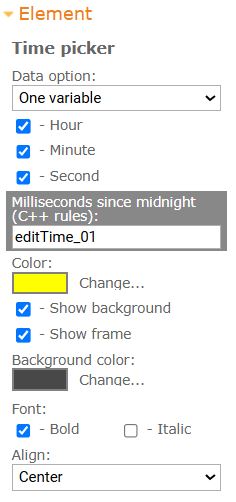
- Data option. Specifies the method of transmitting data to the controller. The data can be sent either in separate variables or in a single variable.
- Hour. Indicates whether the hour can be selected. A field for selecting the hour will be available in the time selection window.
- Minute. Indicates whether the minute can be selected. A field for selecting the minute will be available in the time selection window.
- Second. Indicates whether the second can be selected. A field for selecting the second will be available in the time selection window.
- Variable. Specifies the name of the variable for data transmission. The name must follow C++ variable naming rules.
- Color. Specifies the color of the element's characters.
- Show background. Indicates whether the element's background is displayed.
- Show frame. Indicates whether the element's frame is displayed.
- Background color. Specifies the color of the element's background. If the background is not displayed, this color will be applied to the ftame.
Font
- Bold. Indicates whether the text is displayed in bold.
- Italic. Indicates whether the text is displayed in italics.
Display
The time in the element field is displayed according to the phone's settings. If the phone is set to a 12-hour time format, the time will be displayed and selected in 12-hour format with an AM/PM indicator.
In the controller, the time is always transmitted in 24-hour format, regardless of the phone's settings.
Operation description
When the user clicks on the element, a time selection dialog will open. Fields for selecting hours, minutes, or seconds will be displayed according to the element's settings.
Source code examples
struct {
  int32_t editTime_01; // milliseconds since midnight, from 0 to 86399000
} RemoteXY;
int32_t prevEditTime = 0;
void loop () {
  RemoteXY_Handler ();

  if (RemoteXY.editTime_01 != prevEditTime) {
    prevEditTime = RemoteXY.editTime_01;
    // TODO: The time has been changed.
    Serial.print (RemoteXY.editTime_01);
  }
}


 Русский